


F1 2026 Season Kick‑Off: Travel Guide to the First Races
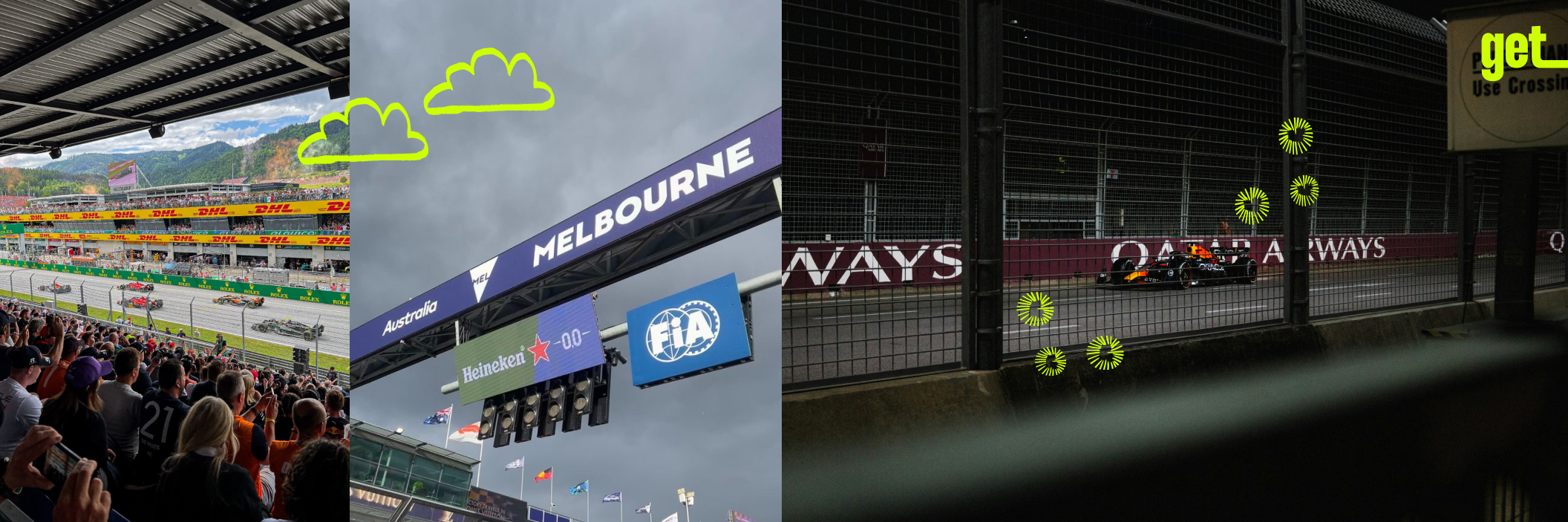 The 2026 Formula 1 season opens with a three‑race sprint across Australia, China and Japan, making early March the perfect excuse for a long‑haul trip that mixes race weekends with city exploring - all powered by a get eSIM so you never lose the live timing, tickets or ride apps you rely on.
First F1 stops in 2026: what’s happening and when
The season starts in Melbourne before heading to Shanghai and Suzuka, three circuits with very different vibes but all easy to combine into a single trip if you plan your flights smartly.
Australian Grand Prix – Melbourne (Round 1)
Scheduled for 6–8 March 2026 at Albert Park, with practice on Friday, qualifying on Saturday and the race on Sunday. The park‑land circuit wraps around a lake just south of the CBD, so you can stay central and still walk or tram to the track.
Chinese Grand Prix – Shanghai (Round 2)
Takes place 13–15 March at Shanghai International Circuit, about 30 km from the city centre and accessible by metro plus shuttle buses on race weekend.
Japanese Grand Prix – Suzuka (Round 3)
Runs 27–29 March at Suzuka Circuit in Mie Prefecture, reachable by train from Nagoya with special race‑day services for fans.
For fans coming from Europe, these three races fall into one long travel window, and many itineraries naturally cross multiple countries - exactly the scenario where a Global get eSIM shines.
Building a trip around the early races
Think of the first three rounds as anchors for a 2–3 week Asia‑Pacific trip rather than isolated weekends.
Option A: Single‑race city break
- 5–7 days in Melbourne: combine race days with laneway cafés, St Kilda beach and a Great Ocean Road day trip.
- 4–5 days in Shanghai: mix the circuit with the Bund, modern skyline views and street‑food markets.
- 5–6 days around Suzuka: stay in Nagoya, explore castle districts and do a day trip to Kyoto before or after the race.
Option B: Two or three races in one go
- Melbourne → Shanghai → Suzuka loop, or a shorter Melbourne + Suzuka combo, using open‑jaw flights.
- Use overnight or early‑morning flights to gain extra sightseeing time between Fridays and Mondays.
Because these routes cross countries with different SIM rules and roaming zones, having one get eSIM Asia‑Pacific or Global plan avoids the classic “new SIM at every airport” problem.
Why you want get eSIM at the track
Modern F1 weekends are built around being online: apps manage tickets, gate info, food ordering and even live onboard cameras.
With a get eSIM you can:
- Keep your usual number on your physical SIM while using local‑priced data for F1 apps, live timing, social media and maps.
- Avoid unpredictable roaming from your home carrier, especially on multi‑country trips.
- Share live locations with friends in huge fan zones and grandstands, and coordinate meet‑ups after the chequered flag.
The Ultimate eSIM Guide blog post walks through checking if your phone is eSIM‑ready, picking between country, regional and Global plans, and estimating how much data you’ll need for streaming and navigation on a race weekend.
Step‑by‑step: setting up get eSIM before you fly
Doing this a few days before departure keeps race week stress‑free.
Check compatibility
- Use the get FAQs to confirm your phone supports eSIM and is unlocked.
- Follow the quick checklist in Travel Like a Pro to be sure you can store more than one eSIM if you plan multiple trips this year.
Choose your plan
- If you only attend one race in one country, pick that country’s eSIM (e.g., Australia or Japan) with enough data for 7–15 days.
- If you are doing two or three races (Australia + China + Japan), choose a Global plan so you keep the same profile throughout.
- Check data + validity (for example, 20–30 GB for a 2–3 week trip with maps, social and some streaming).
Buy online
- Go to get eSIM travel, select your destination or region, pick the data package and pay securely.
- Your QR code and activation details arrive by email and appear under “My eSIMs” in your account.
Install on Wi‑Fi
- On your phone, go to mobile‑network settings, add a new eSIM and either scan the QR code or install directly from the get app.
- Rename it (for example “F1 Asia 2026”) so it’s easy to select later.
Activate on arrival
- When you land in Melbourne, Shanghai or Nagoya, switch mobile data to the get eSIM line and enable data roaming for that profile only.
- Keep your home SIM active for calls/SMS if needed, but disable data on it to avoid accidental roaming.
Using your eSIM during race weekends
Once the weekend starts, your get eSIM quietly powers almost everything you do around the circuit.
Tickets and access
- Open digital tickets and parking/shuttle passes stored in your wallet apps.
- Receive push notifications about gate changes, safety updates or schedule tweaks.
Getting to and from the track
- Use local transport apps (Myki in Melbourne, Shanghai Metro, JR lines around Suzuka) to time your journeys.
- Call ride‑hailing services when trains are crowded after the race.
Following the action
- Run live‑timing apps or official F1 apps for on‑board views and sector times while still watching the cars on track.
- Check weather radars - crucial at places like Suzuka where rain can hit mid‑session.
Exploring between sessions
- Navigate to cafés, bars and fan events in city centres.
- Translate menus and signs in Chinese or Japanese with translation apps that rely on real‑time data.
If your data starts running low near the end of your trip, you can buy an add‑on for the same destination or region from the “My eSIMs” section in a couple of taps, without reinstalling anything.
Framing the early F1 calendar as a mini Asia‑Pacific adventure - and pairing it with a get eSIM set up using Travel Like a Pro - turns the first races of 2026 from a TV‑only event into a realistic, connected travel plan fans can follow from the grandstands.